
Download 3D Desktop Bunny Rabbits – Free Cute Screensaver for Windows
Overview
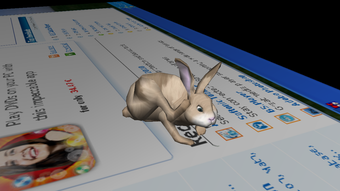
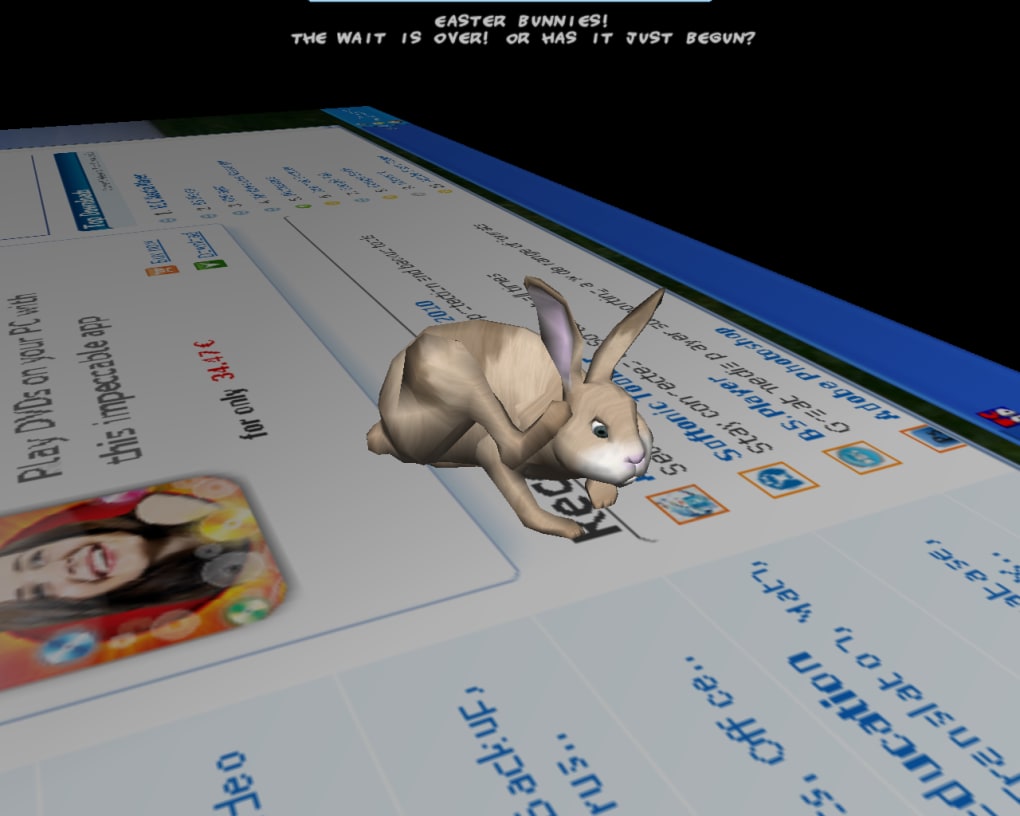
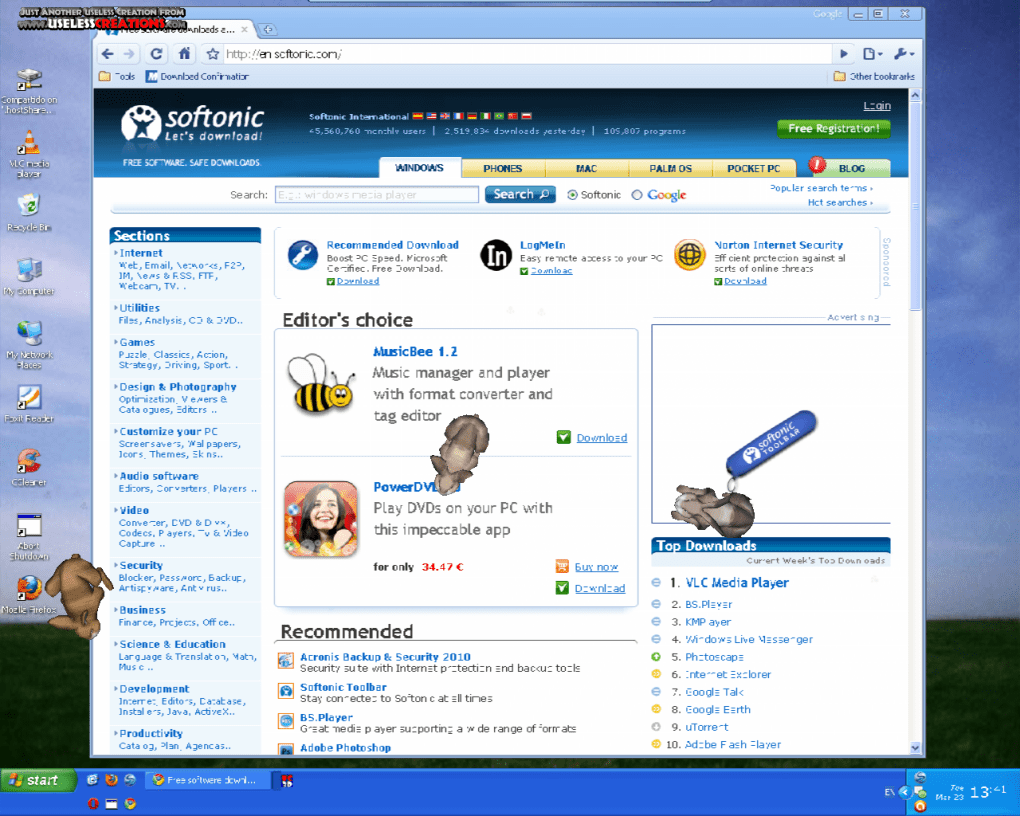
Spring is in the air, and what better way to celebrate the season than with a flock of hopping bunnies dancing across your desktop? 3D Desktop Bunny Rabbits, created by Useless Creations, is a whimsical screensaver that injects a dose of playful energy into any Windows PC. Once installed, the program populates your screen with three‑dimensional rabbit models that bounce, skip, and leave tiny paw‑print trails as they move.
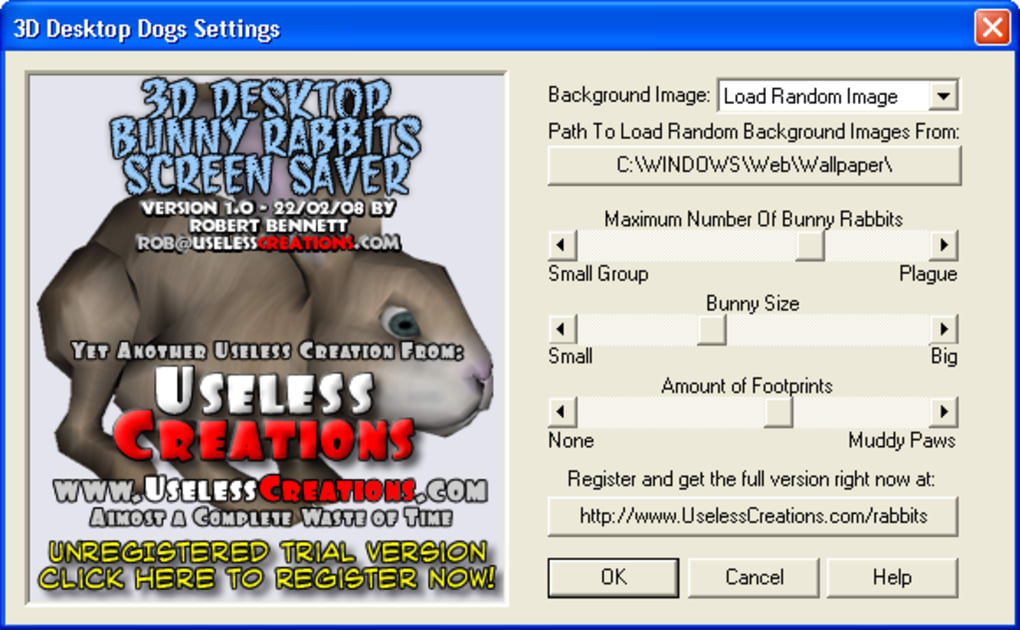
The visual style leans toward realistic fur and anatomy rather than cartoon‑ish cuteness, making the critters feel almost lifelike while still retaining a light‑hearted charm. Users can customize the number of rabbits, adjust their size, and even select the color palette to match a personal aesthetic. Backgrounds are fully flexible – you may keep the default Windows wallpaper, use a personal photo, or capture a screenshot to serve as the stage for your hopping troupe.
Though the concept is simple, the software offers a surprisingly rich set of options that let you tailor the experience to your taste. Whether you’re looking for a subtle animated backdrop while you work, a lively visual for a presentation lobby, or simply a way to bring a smile to your face during idle moments, 3D Desktop Bunny Rabbits delivers a free, low‑resource solution that runs smoothly on modern Windows machines. The application is lightweight, updates automatically, and respects system performance, ensuring that the rabbits never become a distraction for power users.
In short, this screensaver provides an enjoyable blend of functionality and fun, perfect for anyone who wants a bit of springtime spirit without the clutter of heavy‑weight utilities.
Features
- Customizable Rabbit Count: Choose anywhere from a single bunny to a bustling crowd, allowing you to control visual density and CPU usage.
- Adjustable Size & Color: Scale rabbits from tiny critters to larger, more noticeable companions and switch between natural fur tones or playful pastel palettes.
- Paw‑Print Trails: Enable or disable cute footprints that follow each hop, with options for trail length and opacity.
- Dynamic Background Support: Use any image as a backdrop – Windows default wallpapers, personal photos, or a live screenshot of your current desktop.
- Performance‑Friendly Engine: Built on a lightweight 3D rendering core that consumes minimal RAM and CPU, keeping your system responsive even on older hardware.
- Automatic Updates: The software checks for new releases and patches, ensuring you always have the latest bug fixes and feature enhancements.
- Screen Saver Integration: Fully integrates with Windows screen‑saver settings, allowing you to set activation time, password protection, and power‑saving options.
- Multi‑Monitor Compatibility: Extends the bunny hop across all connected displays, creating a synchronized, panoramic experience.
- Free & No Ads: Completely free to download and use, with no intrusive advertisements or hidden fees.
- Easy Reset & Configuration: One‑click restore to default settings if you ever want to start over or troubleshoot visual glitches.
Installation, Usage & Compatibility
Getting 3D Desktop Bunny Rabbits up and running is a straightforward process that even novice users can complete in under five minutes. First, download the installer from the official Softonic page or the developer’s website. The file is a compact .exe package (approximately 12 MB) that contains all necessary components, including the 3D engine, rabbit models, and configuration utility. Run the installer and follow the on‑screen prompts: accept the license agreement, choose an installation folder (the default location works for most users), and decide whether to create a desktop shortcut for quick access. After the installation finishes, you’ll find a new entry in the Windows “Screen Saver” dropdown list.
To activate the screensaver, open the Windows Control Panel → Appearance and Personalization → Change screen saver. Select “3D Desktop Bunny Rabbits” from the list, then click Settings to open the configuration window. Here you can adjust the rabbit count, size, color scheme, and toggle the paw‑print trail.
The background selector lets you browse for an image file; simply click Browse and locate your preferred picture. Once you’re satisfied, press OK and then Apply. The screensaver will now launch automatically after the idle time you specify, or you can test it instantly by clicking Preview.
Compatibility: 3D Desktop Bunny Rabbits is designed for Windows 7, 8, 10, and 11 (both 32‑bit and 64‑bit). The program requires a graphics card that supports DirectX 9 or later, which includes virtually every modern integrated or dedicated GPU. Minimum system requirements are modest: 512 MB RAM, 200 MB free disk space, and a processor with at least 1 GHz speed.
Because the application is lightweight, it runs comfortably on laptops, tablets, and low‑end desktops without draining battery life or causing noticeable slowdowns. Users of older Windows versions (Vista, XP) may encounter compatibility issues, as the software relies on newer DirectX features unavailable on those platforms. For those scenarios, the developer recommends upgrading to a supported OS for optimal performance and security.
Once installed, you can also access a quick‑launch tray icon that lets you pause or stop the screensaver without returning to the Control Panel. This is useful when you need to temporarily disable the animation during presentations or video calls. The configuration file is stored in the user’s AppData folder, making it easy to back up or transfer settings to another machine. If you ever wish to uninstall, simply run the “Add or Remove Programs” wizard, select 3D Desktop Bunny Rabbits, and confirm removal – the process cleans up all associated files, leaving no residual clutter.
Pros, Cons, FAQ & Conclusion
Pros
- Completely free with no hidden fees or ads.
- Highly customizable – rabbit count, size, color, and footprints.
- Low system resource usage; runs smoothly on older hardware.
- Supports any background image, including multi‑monitor setups.
- Automatic update mechanism keeps the software current.
- Easy installation and intuitive configuration interface.
Cons
- Realistic rabbit models may not appeal to users seeking cartoon‑style cuteness.
- No built‑in sound effects or ambient music options.
- Lacks a mobile (iOS/Android) version; Windows‑only.
- Advanced lighting adjustments are not available.
- Occasional minor visual glitches on ultra‑high‑resolution displays (fixed in recent patches).
Frequently Asked Questions
Can I use my own animated GIF as the background?
The screensaver currently supports static image formats (JPG, PNG, BMP). Animated GIFs are not rendered as moving backgrounds, but you can convert a short video clip to a static frame and use that as the backdrop.
Does the application work on Windows 11 tablets?
Yes, the software runs on Windows 11 in both desktop and tablet modes. The touch‑screen does not interfere with the screensaver, although interaction is limited to the settings window.
How much RAM does the screensaver consume while active?
Typical memory usage ranges from 30 MB to 70 MB depending on the number of rabbits and the resolution of the background image. This is well within the capacity of most modern systems.
Is there a way to schedule the screensaver to run only during certain hours?
While the built‑in Windows settings do not provide time‑based scheduling, you can use third‑party task‑scheduler tools (e.g., Task Scheduler) to enable or disable the screensaver at specific times.
What should I do if the rabbits stop moving after an update?
First, try restarting the screensaver from the Settings window. If the issue persists, reinstall the application or revert to the previous version using the backup installer provided on the download page.
Conclusion
3D Desktop Bunny Rabbits offers a charming, lightweight way to add a touch of springtime whimsy to any Windows workstation. Its blend of realistic 3‑D models, extensive customization options, and minimal performance impact makes it an attractive choice for both casual users and power users who want a non‑intrusive animated background. While the realistic style may not satisfy those looking for ultra‑cutesy cartoon bunnies, the program compensates with solid stability, free distribution, and a straightforward installation process. If you’re after a free, secure, and easily configurable screensaver that brings a playful bounce to idle moments, this software earns a solid recommendation. Download it today, set your favorite wallpaper, adjust the rabbit count to your liking, and let the hopping begin!
Overall rating: 4 out of 5 stars. The screensaver delivers on its promises, offering a smooth and customizable bunny experience with very low system overhead.
Pros: Free, lightweight, highly configurable.
Cons: Realistic art style may not please all users; no mobile version.







